








NWT - Mobile POS
POS Solutions

Downloads

Mobile Manager Datasheet

Mobility Software

Mobile Suite Pro


Contact Us

Call or email
Toll Free: 1.800.466.7839

Fax: 503.235.4416
Portland: 503.235.4656

4606 SE Division St.
Portland, OR 97206

POS Solutions Networking Solutions Services Resources Support Partners Company
Print Page
Mobility Software

Mobile Manager --------- Download Trial


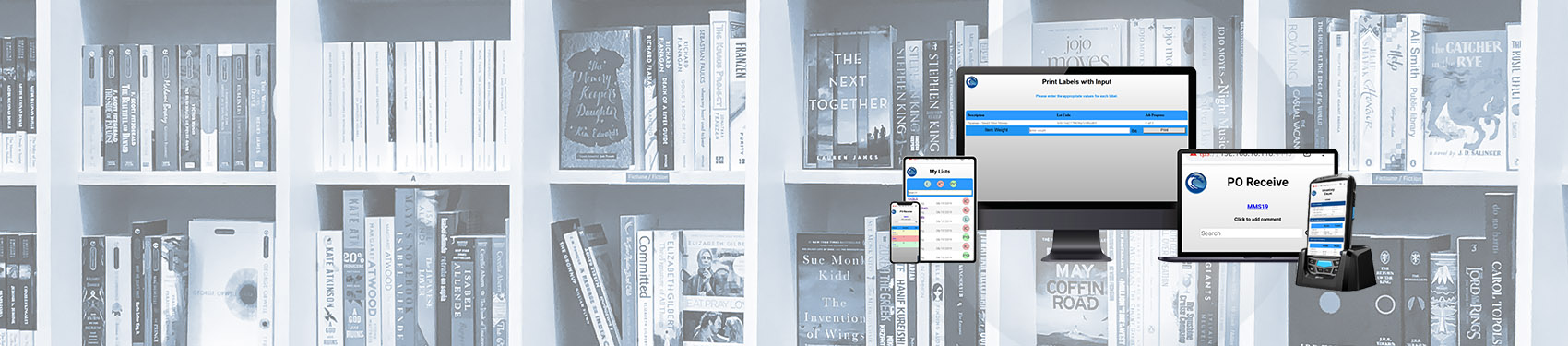
Mobile Manager is an extensions suite for the Microsoft Dynamics point of sale products. It provides a complete, wireless inventory management system that integrates with Microsoft Dynamics RMS, POS and our Mobile Cashier. Use the Mobile Manager to:

  • Maintain real-time accurate inventory levels
  • Manage inventory, identify issues and track stock levels
  • Save time and money on real-time and offline inventory management, quotes, receiving, purchase orders, work orders, managing item descriptions, print labels, store transfers, gift registry, layaways
  • Gain power over data management to increase knowledge and business advantage


Mobile Manager Components

Gain control with wireless inventory management. Mobile Manager makes it easy by bringing together the following software modules in one convenient package.

Mobile Inventory Count
Mobile Purchase Order
Mobile Label Printing
Mobile Item Manager
Mobile Transfers
Mobile Work Order, Quotes, Layaways, Gift Registry

Wireless Inventory ManagementMobile Inventory system

Mobile Manager updates and maintains essential inventory and sales information, allowing you to streamline inventory management, customer data, purchasing and sales processes that directly impact your bottom line. Features include:

  • Real-time record keeping and updates
  • Mobile inventory counts
  • Create, send and receive purchase orders.
  • Bar coded quotes, work orders and layaways
  • Inter-store transfers
  • Label and receipt printing
  • Add, edit and manage inventory items
  • Controlled user access
  • Offline batch mode
  • Integration with RMS reporting
  • Custom reporting options
  • Advanced security structure
  • Full solution implementation (Hardware and Software)
  • Enhanced on-line help and support documentation

Mobile Physical Inventory Count

Gain complete inventory management with real time updating

Easily perform a physical inventory count on the handheld device. Save scanned inventory count wirelessly to perform inventory analysis on the RMS Store Operations Manager.

      • Create a new Inventory Count or Recall an Existing Count
      • Easily edit item counts by entering numeric value or auto-add by scanning
      • Highlight Last Item Scanned
      • Add & Edit Items while conducting a Physical Inventory Count (requires Item Manager)

Download Trial

Mobile Purchase Order

Create and edit orders for customers

Create new purchase orders on the Pocket PC by scanning item barcodes and entering quantities. Receive purchase orders by scanning items as they are received at delivery. Mobile Purchase Order supports use of Item aliases, and ability to create new items during the receiving process.

        • Create, edit and/or Receive Purchase Orders in real time or batch mode
        • Data Grid Scrolls to Last Scanned Item and can be sorted by Lookup Code for Recalled PO
        • Edit Bin Location while Receiving
        • Show Retail Price of selected items
        • Utilize Quick Receive function for dynamic receiving docks
        • Edit Item Cost while Receiving (Requires Item Manager)

      Download Trial

Mobile Label Printing

Scan labels and print labels

Maximize productivity and increase efficiency with wireless printing technology.

        • Ability to print to wireless, network or Bluetooth enabled printers
        • Fast Barcode Printing for item labels and shelf tags
        • Convenient on demand Receipt Printing

      Download Trial

Mobile Item Manager

Manage inventory on a wireless device

Enhance your competitive edge with real time inventory management. Mobile Manager allows you to make real time changes to Item properties on demand.

        • Create new items on the fly
        • Edit item attributes and create aliases
        • Set item Sale Dates and pricing
        • Scan to view item availability (On Hand Qty)
        • Modify Item Restock information

      Download Trial

Mobile Transfers

Manage inter-store inventory transfers

Manage inter-store inventory transfers and simplify inventory allocation process.

        • Transfer Inventory between stores
        • Easily edit and manage existing Transfer Orders
        • Recall and Redirect Transfers
        • Edit Item Cost Upon Receipt
        • Search By Item, Location, or Supplier

      Download Trial

Mobile Work Order, Quotes, Layaways, Gift Registry

Mobile work order

Mobile Work Order’s fast and easy data retrieval allows retailers to streamline their business processes, reduce customer wait time, and build customer satisfaction and loyalty. Mobile Work Order also facilitates a complete pre-sale process.

        • Create and modify work orders
        • Create and modify quotes or staged pre-sales orders
        • Create and modify Layaways
        • Create and modify gift registries

      Download Trial

New West Technologies, Inc.     All rights reserved © 2010

Microsoft DynamicsMicrosoft Gold Certified Partner